Featured app
ProMaster OBD
Live gauges, transmission temps, trouble codes and maintenance for your Ram ProMaster, on your phone or tablet.
What it does
Built for the Ram ProMaster 3.6L, with the 62TE 6-speed (2014–2021) or the 948TE 9-speed in newer vans. It also reads standard OBD-II data on other vehicles. Plug in a Bluetooth OBD-II adapter such as a Vgate vLinker or iCar Pro and the app does the rest.
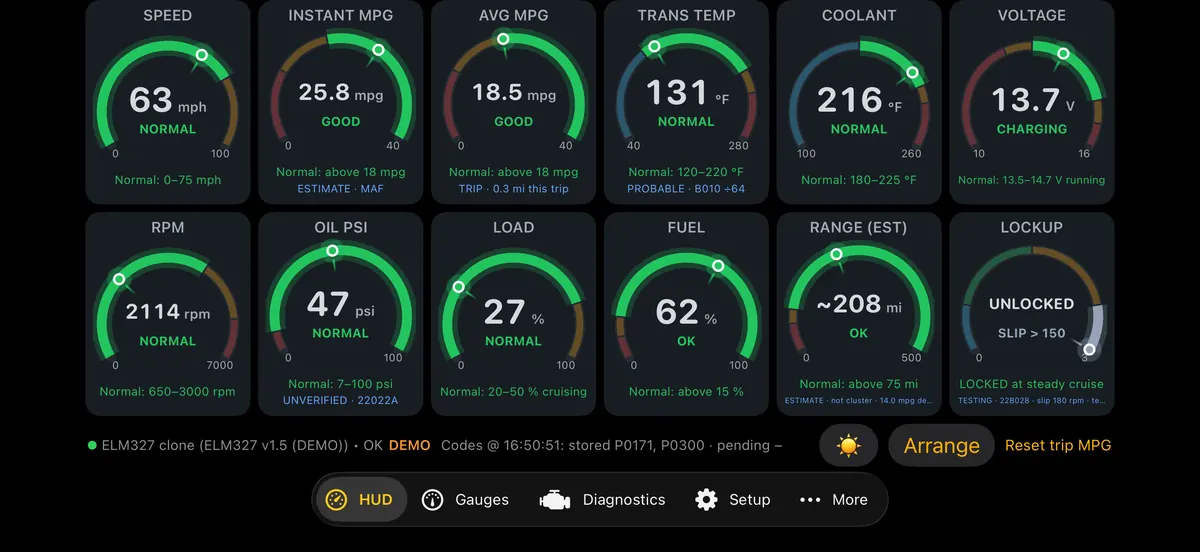
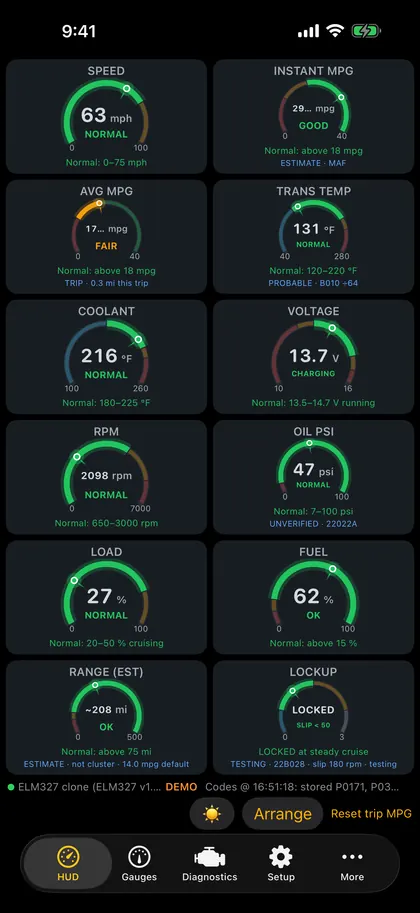
Live HUD
A big, glanceable driving view: speed, RPM, coolant, trans temp, voltage, MPG, fuel and more. Pick Normal, Amber or Red styles for night driving. Arrange lets you reorder and hide tiles.
Transmission data
Trans fluid temperature, current gear and torque-converter lockup for the 62TE 6-speed and the 948TE 9-speed. The app reads the VIN and sets the transmission type for you.
Trouble codes
Read stored and pending codes with plain-English help, plus readiness monitors. Codes are only cleared when you tap Clear and confirm.
Urgent-only alarms
Sound and vibration only for things that matter: coolant or transmission too hot, oil pressure lost, battery under 12 V while running, or a new check-engine code.
Trip reports
Automatic trip logs with on-phone smart detection for trans temp, coolant, charging voltage, slip and gear hunting, and MPG changes. Export to CSV when you want it.
Maintenance
Mileage- and time-based service reminders and recommended fluids for your van, in one place.
Solar & battery (optional)
Read-only monitoring of a Victron Cerbo GX over Wi-Fi, Victron Instant Readout over Bluetooth, or your Victron VRM account. On Android, also Renogy charge controllers, BM200/BM6 battery monitors and supported lithium packs. Battery cards only appear once a pack is detected.
Your data stays on your phone
No account, no ads, no analytics. Vehicle data, trips and maintenance records are stored only on your device.
Screenshots
 HUD
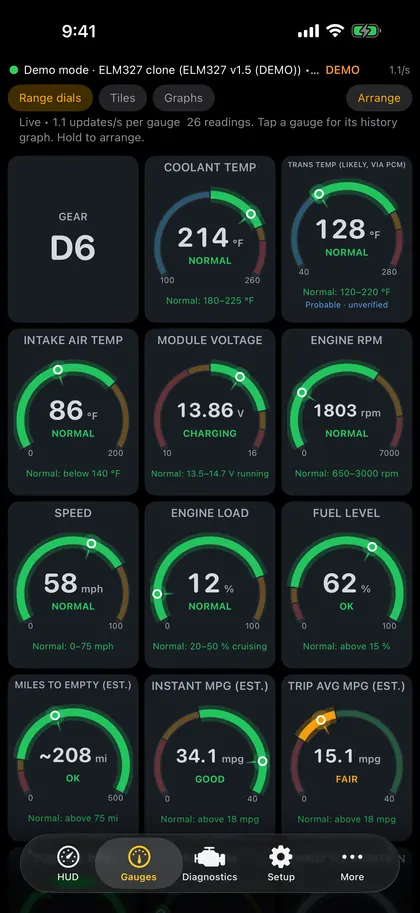 Gauges and dials
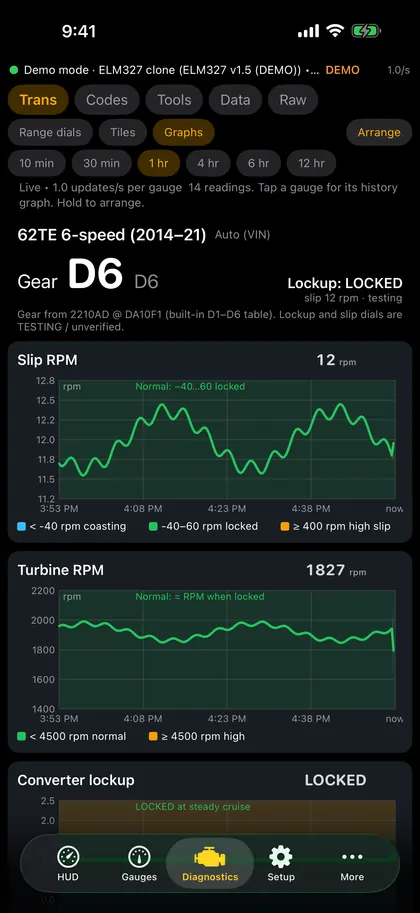 Transmission
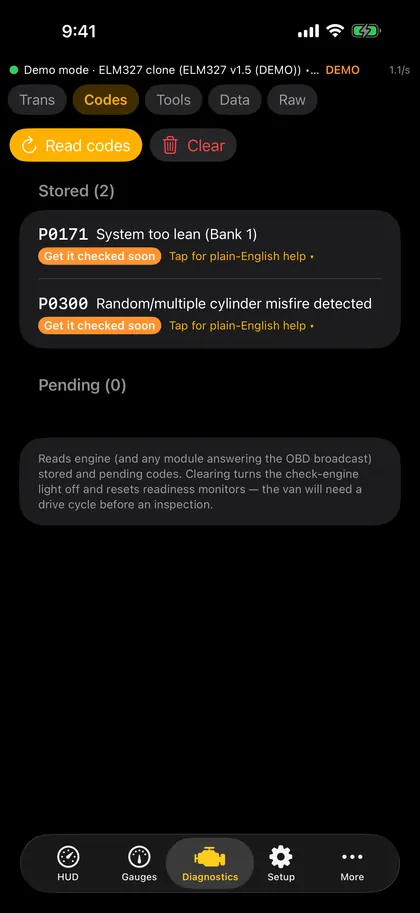 Trouble codes
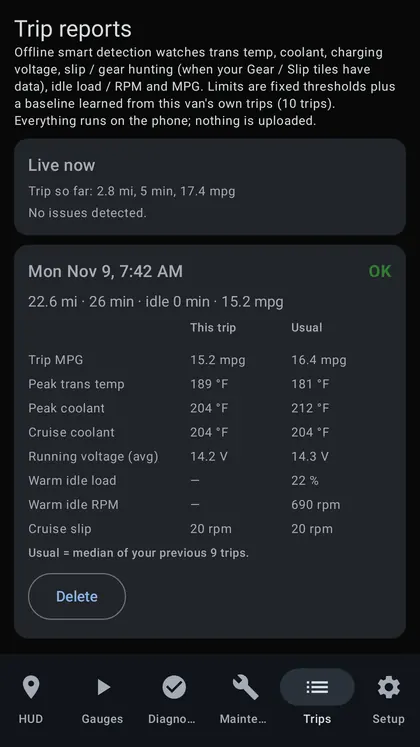 Trip reports
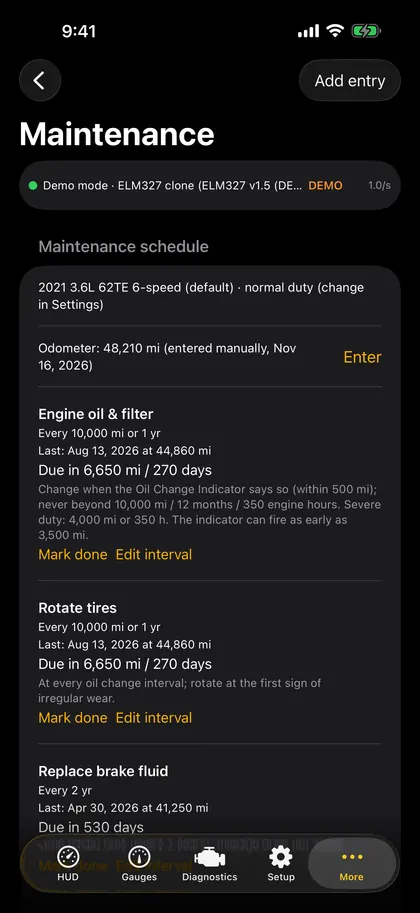 Maintenance
What you need
- iPhone: a Bluetooth LE (BLE) ELM327-compatible adapter. The Vgate iCar Pro BLE is tested. Classic Bluetooth adapters don't work with iPhone.
- Android: a Bluetooth Classic, BLE or Wi-Fi ELM327-compatible adapter. A Vgate vLinker or OBDLink MX+/LX works best.
- No adapter yet? Demo mode lets you try the app with sample data.
Questions? See Support.
River Valley Software
Services
Beyond ProMaster OBD, River Valley Software takes on custom work for vehicles, power systems and van builds.
Custom automotive software
Custom OBD-II diagnostic apps and dashboards for Android and iPhone, built the same way as ProMaster OBD.
- Live-data gauges and HUD layouts for a specific vehicle or fleet
- Trouble codes, trip logs and CSV exports
- Bluetooth and Wi-Fi ELM327 adapter support
- Read-only by design: reading data, not reprogramming modules
Victron support
Integrating and monitoring Victron power systems, with read-only monitoring apps that show what your system is doing.
- Cerbo GX / Venus OS over local Wi-Fi (MQTT)
- Bluetooth Instant Readout from SmartSolar, SmartShunt, BMV and Orion devices
- VRM portal data with your own access token
- Battery, solar and DC-DC readings on phone dashboards
Van builds
Electrical and tech work for camper and ProMaster van builds.
- Planning the electrical and monitoring side of a build
- Getting solar, battery and vehicle data onto one screen
- OBD and power-system integration for ProMaster vans
Get in touch
For app help or to talk about a project, email us. Tell us a bit about your vehicle or system and what you'd like to build.